Unattached Relays in RunMeet
RunMeet supports athletes competing in a relay unattached through the addition of the unattached relay team to you meet. Athletes can be added to the team within the athletes tab on RunMeet. More info on RunMeet here: https://support.athletic.net/article/3afoecmp7g-runmeet-overview
Add Unattached Relay to the Meet
To get the team into RunMeet:
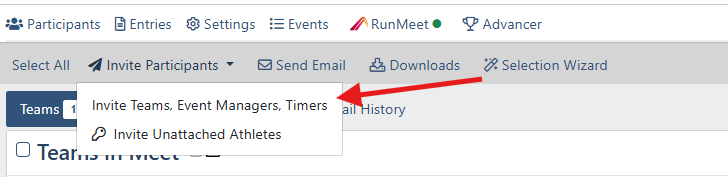
- From the Participants tab in Manage Meet, select Invite Participants, then choose Invite Teams, Event Managers, Timers
- Match your settings to the screenshot below to search all regions.
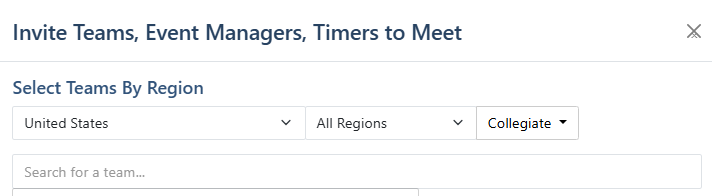
- In the “Search for a team…” box, type Unattached Relay, and invite the team without emailing them.
- Once invited, force-add the Unattached Relay team to your meet using the 'Add to Meet'

- Return to RunMeet, and under the Athletes tab, add the relay athletes to the Unattached Relay team using Add an Athlete.
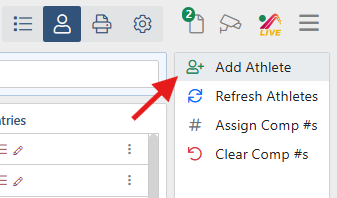
- After Athletes are added you are all set to the add the Unattached Relay within the relay event needed.
