Mapping Your Current Meet Folder to X: (Timer Tip)
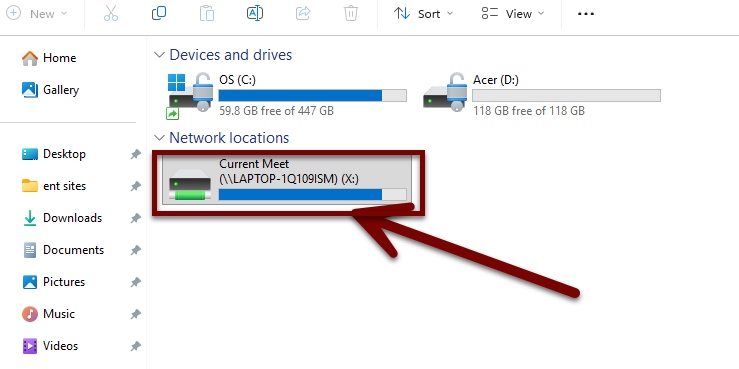
If you use multiple programs during a meet, mapping your current meet folder to X: can make managing directories a lot easier.
This is how we set up our own timing computers.
Instead of changing directories in FinishLynx, RunMeet, RaceDay Scoring, Agee, and other programs for every meet, we use X: as our standard current meet directory.
For example:
X:\
or, if you prefer separate folders:
X:\ResultsX:\LynxX:\Exports
1. Create and Share Your Season Folder
Start by creating a folder for the current season. Inside it, create a folder named Current Meet.
📁 2026
   └── 📁 Current Meet
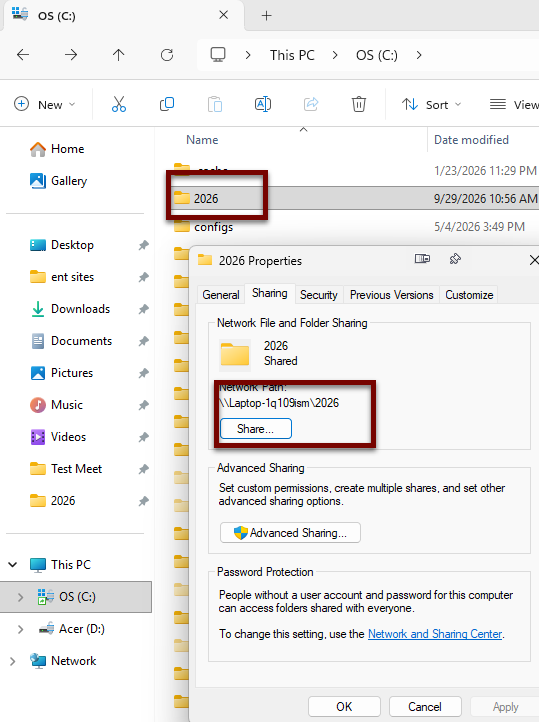
Next, share the 2026 folder, not the Current Meet folder.
We're sharing the season folder because Current Meet will be renamed after each meet. The 2026 folder stays shared all season, so you won't need to redo your sharing settings each time.
2. Map Current Meet to X:
On the computer that needs access:
- Open File Explorer → This PC
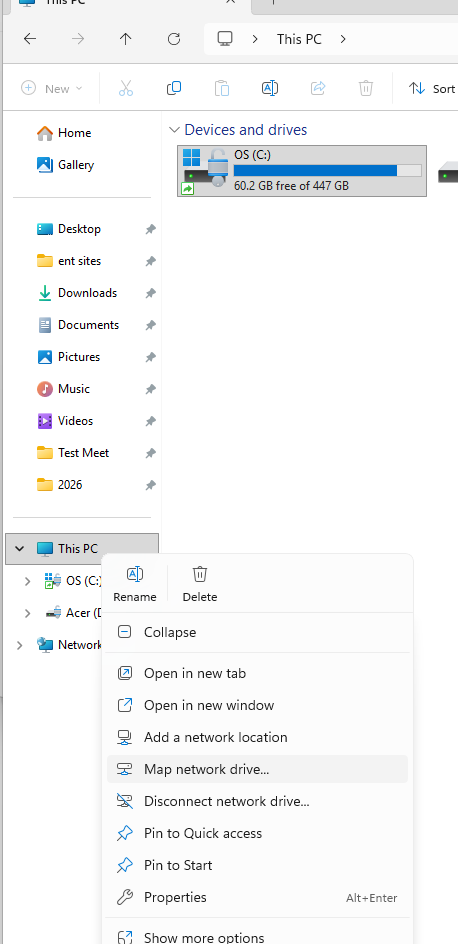
- Right-click This PC and select Map network drive
- Select X: as the drive letter
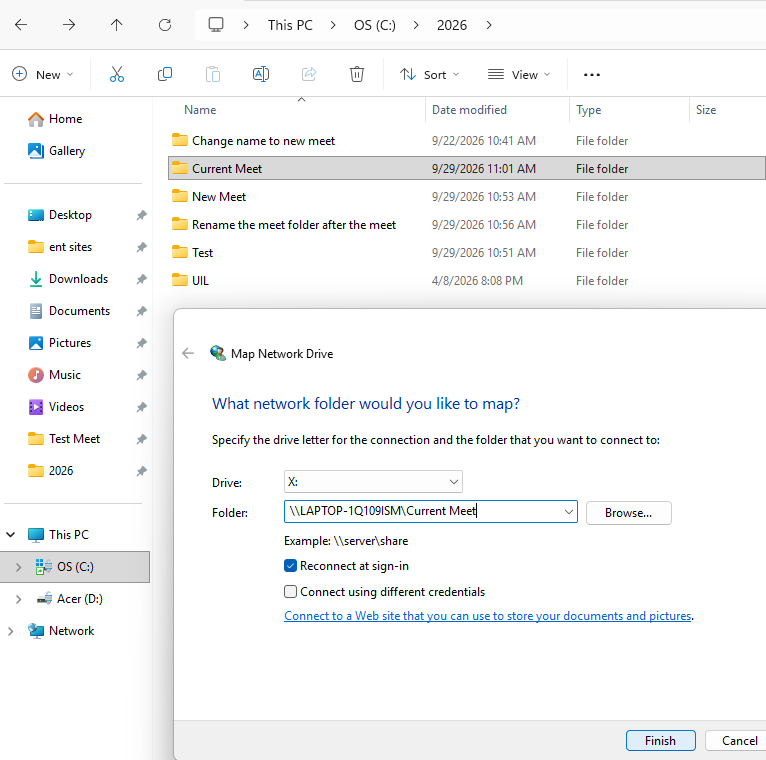
- Enter the network path to your Current Meet folder:
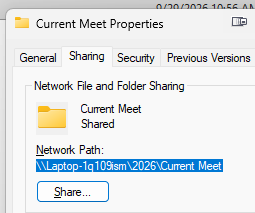
Your actual computer name will be different. You can find the network path from the Sharing tab of the current meet folder's properties.
📁 \\TIMING-PC\2026
   └── 📁 Current Meet  →  X:
Once finished, Windows will treat the Current Meet folder as:
💻 This PC
└── 💾 Current Meet (X:)
3. Configure Your Programs Once
Configure programs that need access to meet files to use X:.
For example:
FinishLynx Input/Output Directories 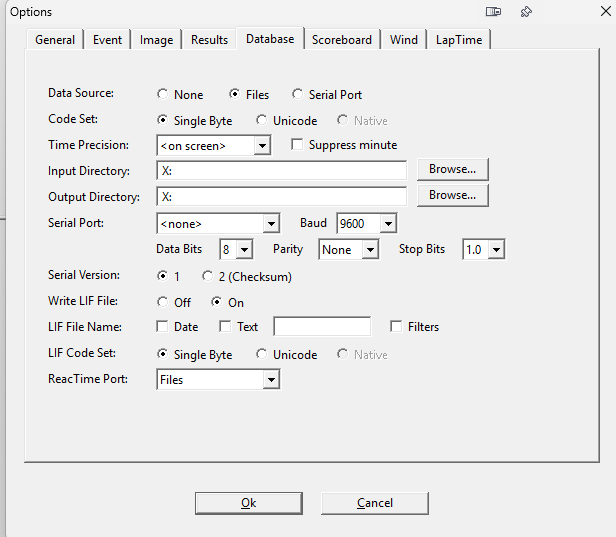 |
|
RunMeet Start Lists and Results 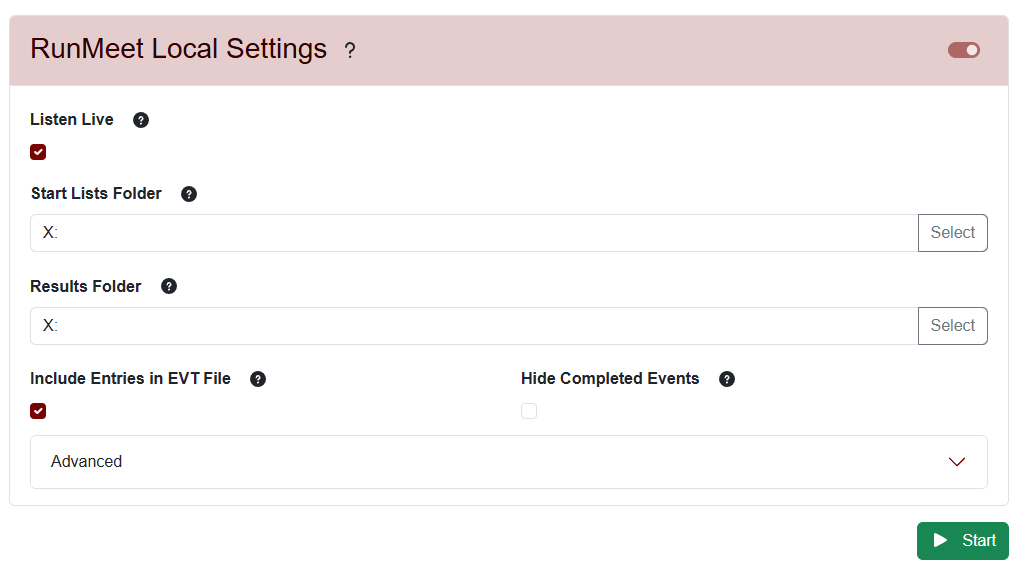 |
|
Agee Results Directory | |
etc.
The exact folder path will depend on your setup, but the important part is that they all lead to X:.
This gives you one consistent location across your meet software.
4. After the Meet
This is what makes the workflow especially useful.
After the meet is finished:
Rename:
📁 2026
├── 📁 Lincoln Invitational
└── 📁 Current Meet ← Rename this folder
to the actual meet name:
📁 2026
├── 📁 Lincoln Invitational
├── 📁 2026 State Qualifier
├── 📁 GSC Conference Championship
└── 📁 Current Meet ← The meet you're working on now
Then create a new empty folder called Current Meet.
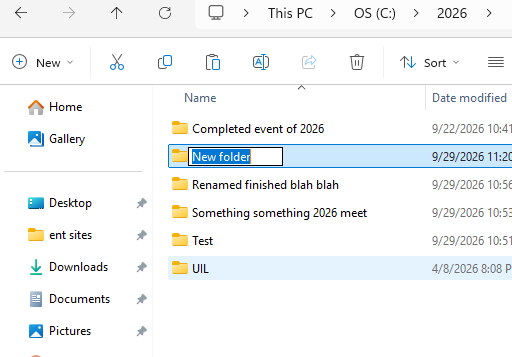
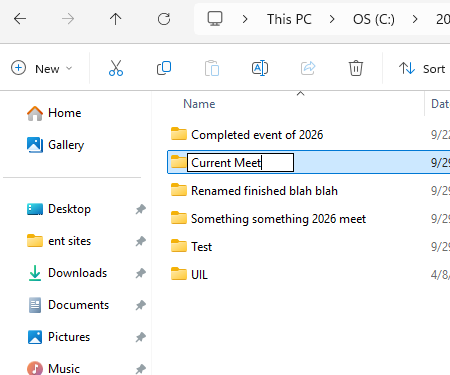
Because the parent 2026 folder is already shared, you don't need to configure sharing again.
The Result
Your programs continue looking at:
💾 X: → 📁 Current Meet
while you simply rotate which folder is named Current Meet.
That means you can set up directory paths in FinishLynx, RaceDay Scoring, Agee, RunMeet, and other software once, instead of browsing to new locations every meet.
Think of X: as “Whatever meet we're working on right now.”
Easy memory: Share the year → Map Current Meet → Rename and repeat.
