Adding a Birthdate, Grade, USATF ID or AAU ID to Your Profile
If you're registering yourself for USATF or AAU events, you'll need to add a Membership ID number to your account before you register for any events. Additionally, you may need to enter your date of birth or grade to ensure you're placed in the appropriate age or grade group.
Do you need to purchase or renew a USATF membership? Click here
Do you need to purchase or renew an AAU membership? Click here
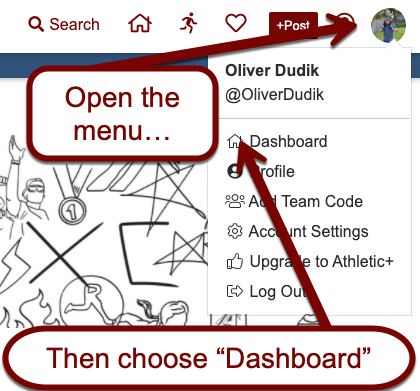
Once you're logged into Athletic.net, click on your initials or picture in the top right corner, then choose Dashboard.
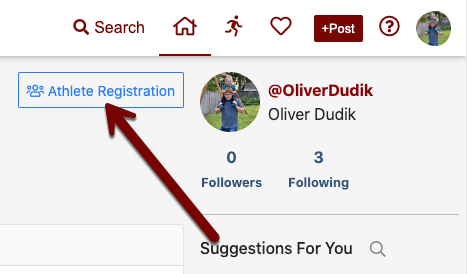
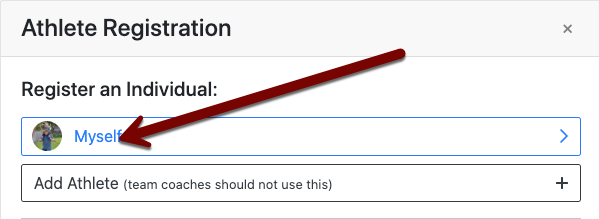
At the top of the screen, choose Athlete Registration, then choose Myself.
On the page that loads, select Add USATF ID or Add AAU ID.
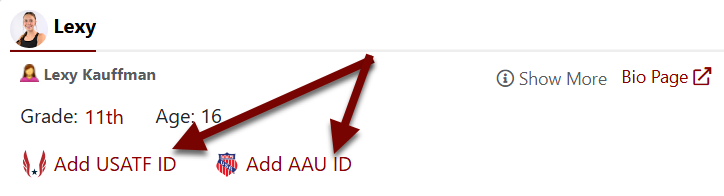
In the box that appears, enter your USATF or AAU Membership ID and choose Add.
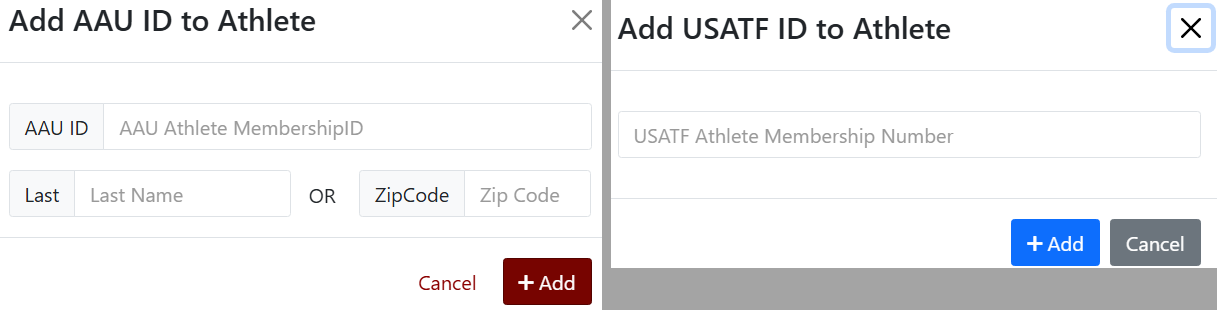
If your athlete profile is also missing date of birth or grade information for calculating age and grade groups, you will see a link to set that information as well. You may need to click "Show More" to access birthdate and grade.
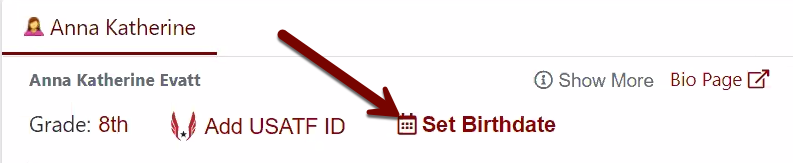
Click Set Birthdate and follow the instructions on the subsequent screen.
Similarly, click Set Grade to select your grade.
