Athlete Tracking for College Coaches
AthleticNET's Follow System and Custom Lists makes it easy to for college coaches to keep track of recruits, rivals, and team performances using our sport's #1 US scholastic ranking database.
Follow System
When a followed athlete, team, or meet gets a new result, you get a notification in your AthleticNET account and via the AthleticAPP. Athletic makes it easy for you to find that athlete and see how they are doing throughout the season.
Add Followed Athletes, Teams, and Meets
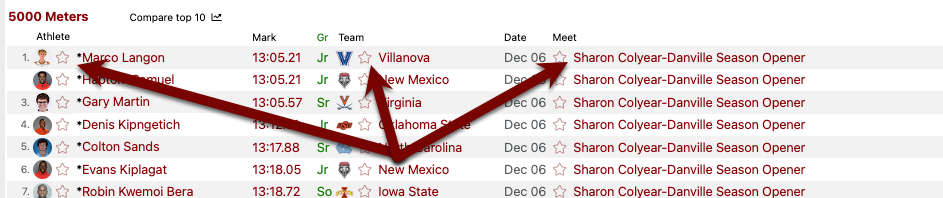
Method 1: Use AthleticNET performance list filters to find potential recruits. From any performance list page, select the Star next to any athlete, team, or meet.
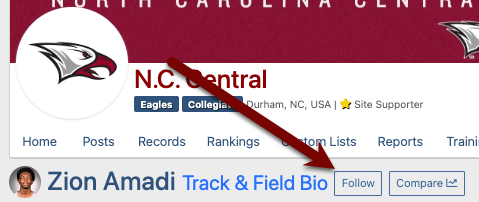
Method 2: From any AthleticNET athlete, team, or meet page, click the "Follow" button.
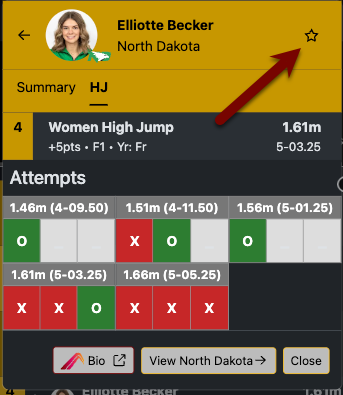
Method 3: From any AthleticLIVE athlete or team display, click the star in the top right corner.
View Followed Athletes and Teams
AthleticNET Performance List
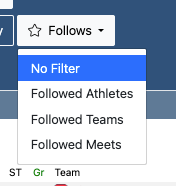
From the AthleticNET Performance List page, filter by Followed Athletes, Teams, or Meets to see only the athletes you've followed.
AthleticLIVE Dashboard
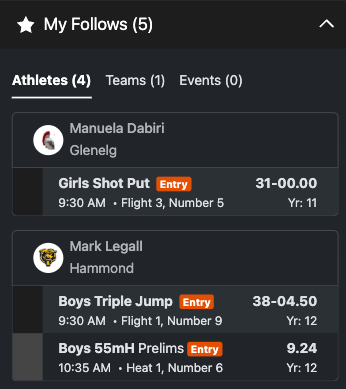
If you're at a meet with AthleticLIVE, followed athletes and their entries/results appear on the top of the Dashboard. Quickly see when your recruits are competing and how they did.
Custom Lists
Want more power over list creation? Go to your AthleticNET Team Page, click on Custom Lists, and create a Custom List for athletes, teams, or meets. Click here to learn more >
Follows are useful because you can see them on various pages throughout the site. Custom Lists are helpful if you want full control to make any kind of list you want.
