AthleticAPP for Nike Outdoor Nationals
AthleticNET and NSAF are doing something exciting - giving you free access to your competition videos shortly after you are done competing. As an AthleticNET member, you will receive AthleticAPP notifications to access your Nike Outdoor Nationals videos along with the ability to download the videos to post on social media. So before you head to University of Oregon's Hayward Field, follow the instructions below to ensure you are linked to your athlete profile to receive this amazing, free benefit. Don't worry, it's a simple process, and the items in red are links to help you along.
- Download AthleticAPP on your smartphone and allow notifications.
- Create an AthleticNET account on the app or on your computer. During this process you will claim your bio.Be sure to Add Your Photo to Your Profile so everyone will see your image next to your results. This is a great recruiting tool!
- If you did not register yourself for the meet or you are registered with a second account, please Merge Your Duplicate Bios so that your account is linked to the meet results.
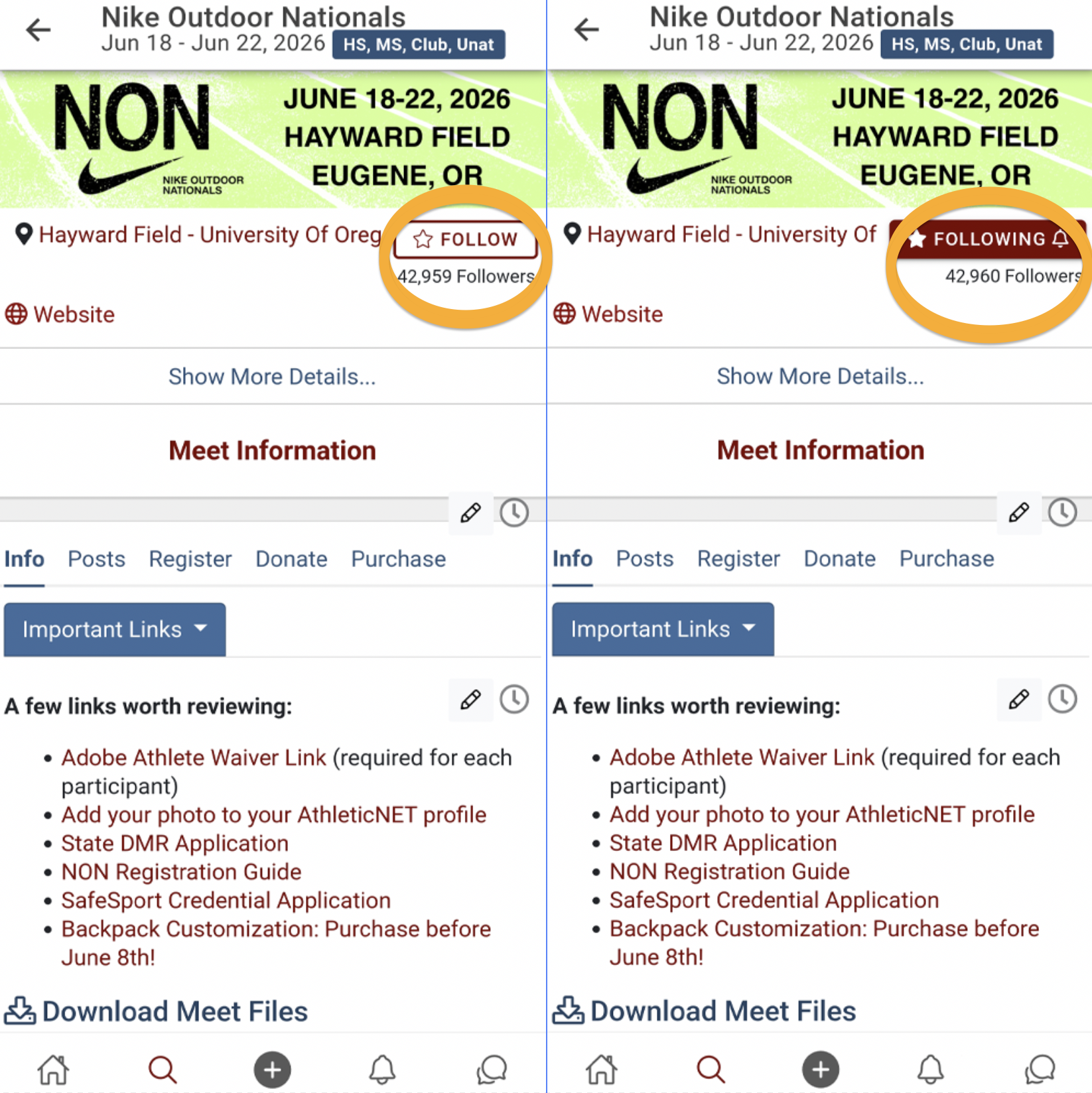
- "Follow" Nike Outdoor Nationals. This will allow us to send you an app notification when your competition video is ready.
- Sign into AthleticAPP using your email and password.
- Activate the search bar by tapping on the magnifying glass at the bottom of the screen, type in "Nike Outdoor Nationals", and select the event.
- Tap on the the Follow button at the top of the screen and the button will switch to Following, as shown below:
- After you are done competing, you will receive an AthleticAPP notification. Tap on it to go directly to your event and video. You may need to log in again to view or download your video.
Coaches, please share this information with your athletes. Only athletes and their parent managers will have access to download their videos.
Best of luck at the meet!
